memoratu for iPhone
We’re building the iPhone app now. It already has a capture sheet that gets a thought out of your head in one tap, a Today view that separates what is overdue from what is next, and a Projects view for when a list of todos needs to become something bigger.
It is not in the App Store, and it has not been submitted. There is no download link on this page because there is nothing to download. We are not going to guess a date either — when it is submitted, What’s new will say so on the day it happens.
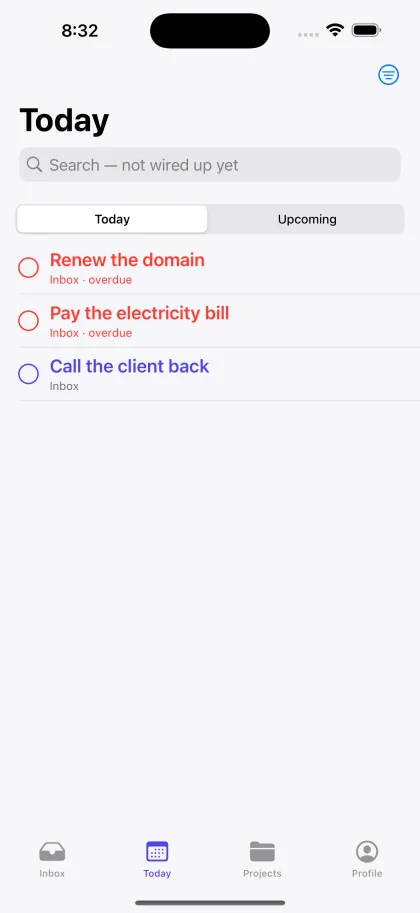
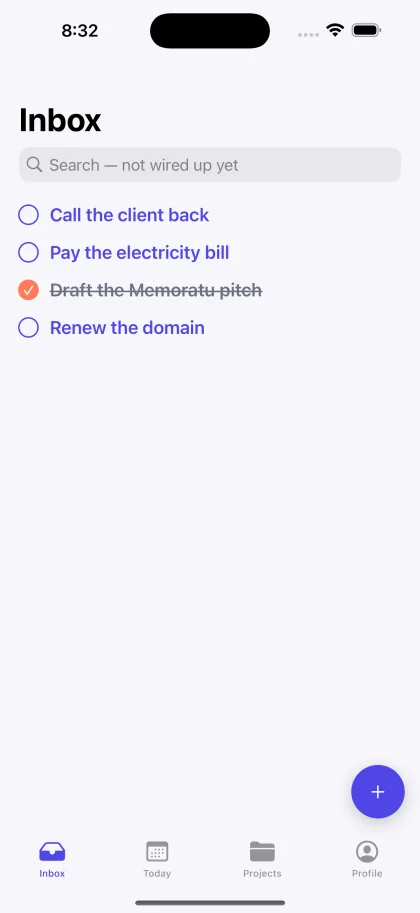
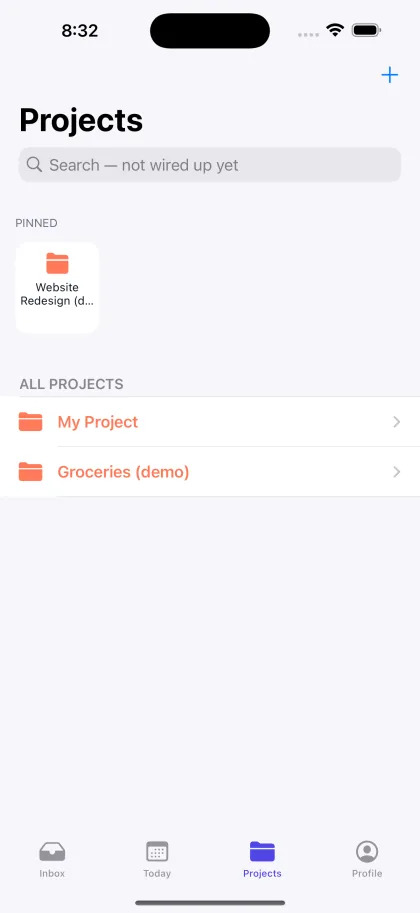
Screenshots from the iPhone app in development, running on sample data. Not yet available to download.
One tap, and it is out of your head.
The capture sheet opens on a title field with the keyboard already up. Notes are plain text, and markdown works. Due dates are two buttons before they are a date picker.
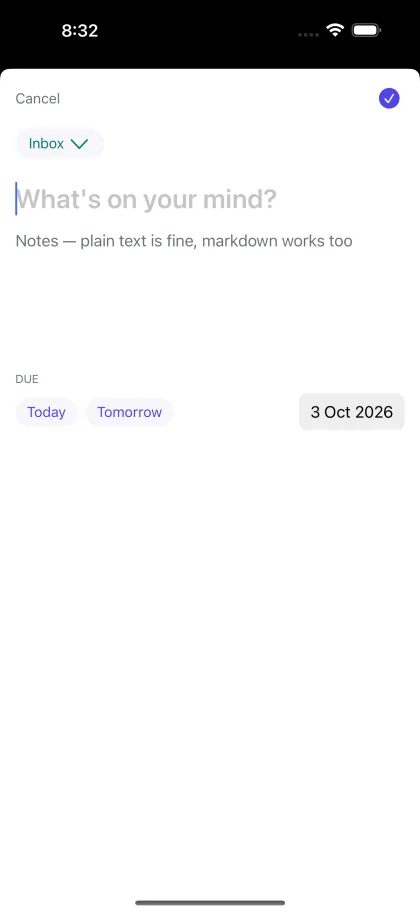
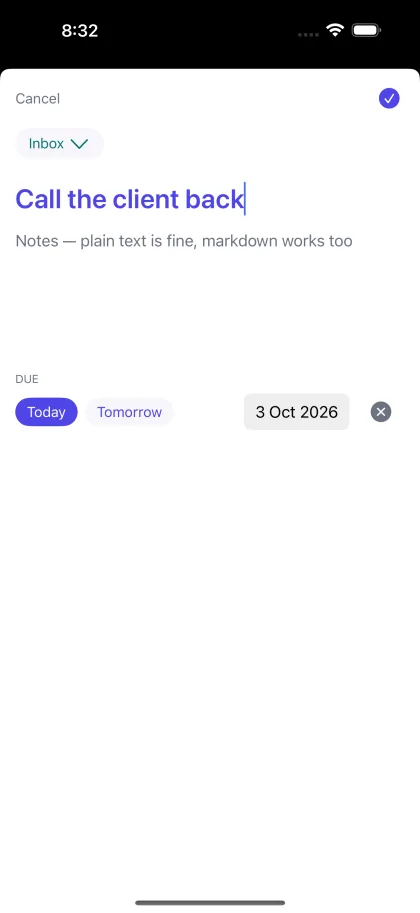
Screenshots from the iPhone app in development, running on sample data. Not yet available to download.
A list becomes a project without a setup step.
Projects hold lists; lists hold todos. You do not have to decide any of that up front, and Inbox is always there underneath.
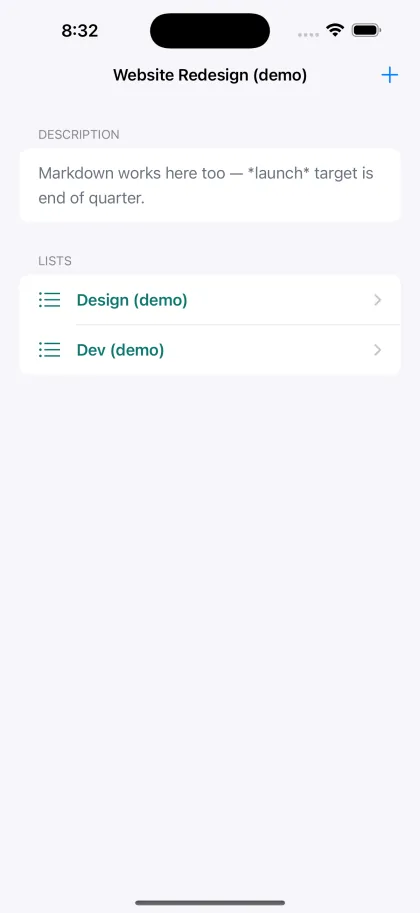
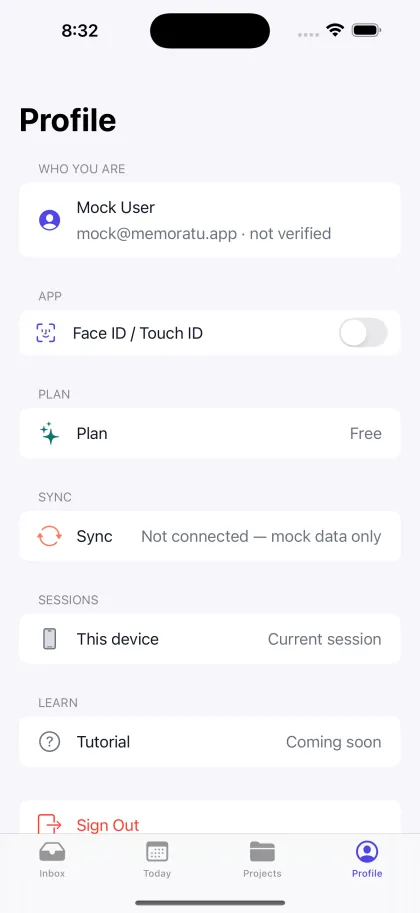
Screenshots from the iPhone app in development, running on sample data. Not yet available to download.
The Profile screen above says “Mock User” and “Not connected — mock data only”, and the search field says “not wired up yet”. That is not a mistake in the screenshot. This build genuinely makes no network calls yet — it runs entirely on sample data while the app and the server are joined up. We would rather show you the real thing with its real labels than a mock-up of something that does not exist.
Both, from the start.
Light and dark are defined in the same brand kit the app and this website are both built from, rather than one being derived from the other later.
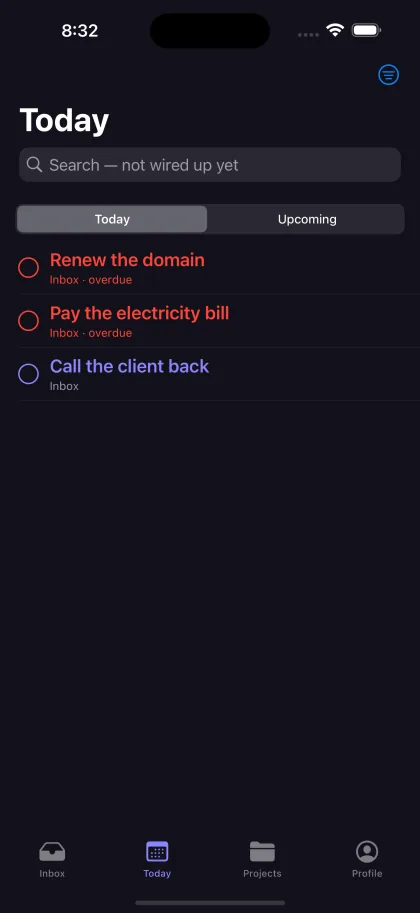
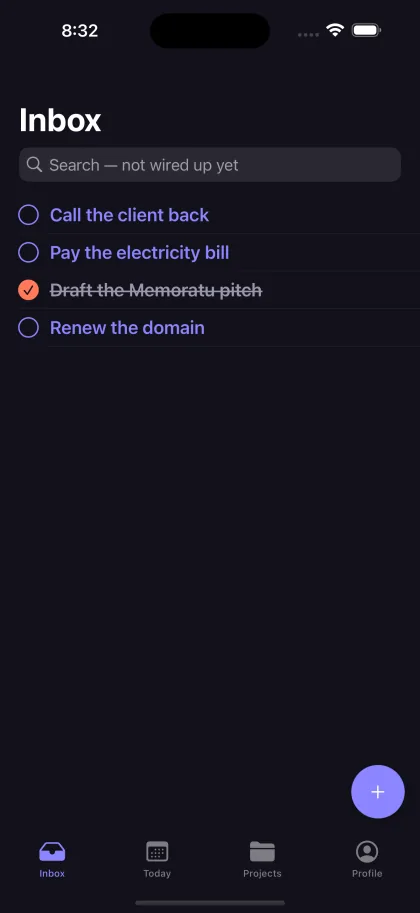
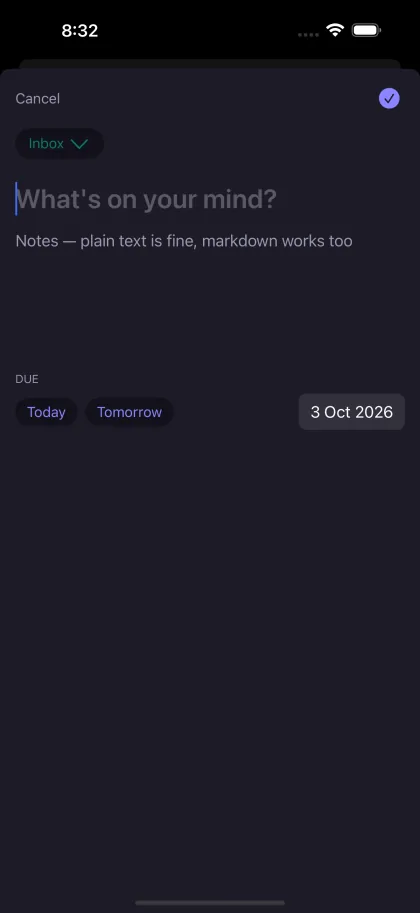
Screenshots from the iPhone app in development, running on sample data. Not yet available to download.
Accounts are not open yet
There is no sign-up page. The account system, projects, lists and todos are all built and running on our server today — but the page you would use to sign in from a browser has not been built, so there is nothing honest to put behind that button yet.
When it exists, it will be here, and What's new will say so on the day.